
How to place an order
Hello dear customers,
To place an order in our store, you must complete the following steps:
1. Select the product you are interested in (one or more);2.Add it to the Cart - by clicking the " Buy " button to the right of the product image;

See what the basket looks like in the image below.
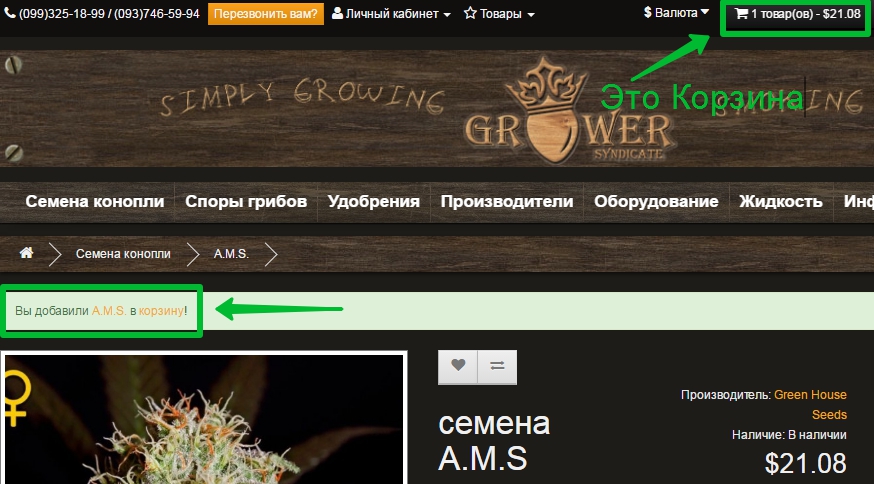
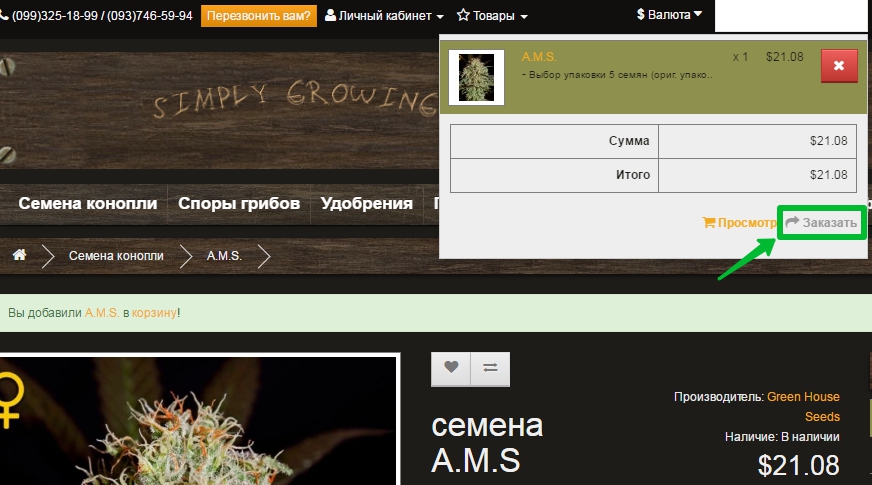
After you have selected the products and added them to the cart, click on the Cart (in the upper right corner of the site) and click the "Order" button ;
The checkout page will appear - where you can place an order as a registered customer (if you have previously registered, click I am registered ), Register or Buy without registration (by selecting the No checkbox as in the picture below)
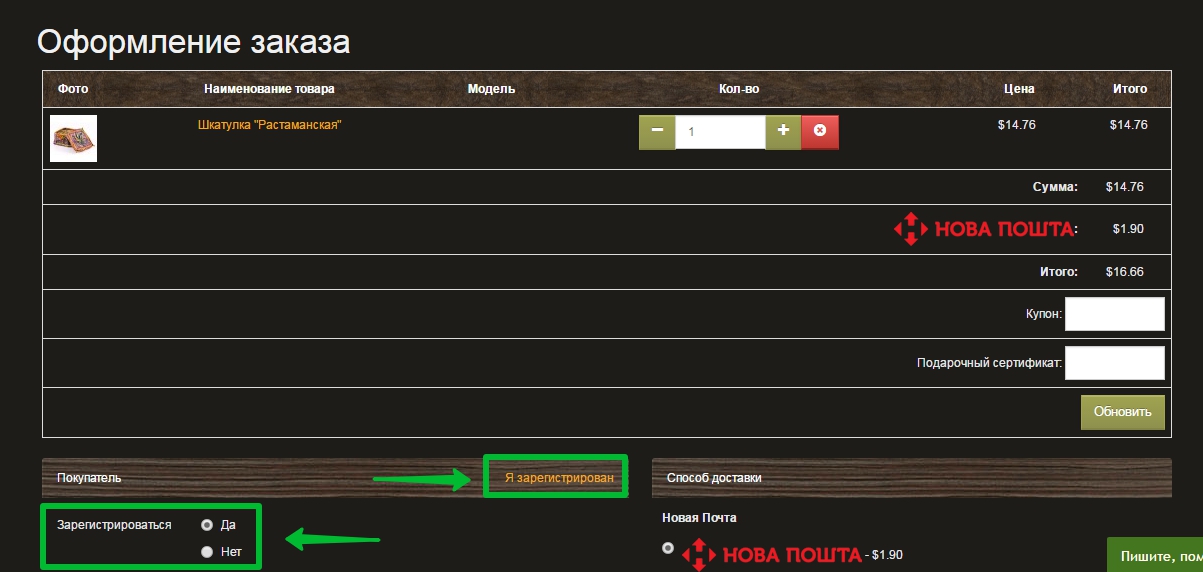
To place an order, you must fill in the following fields:
Email address - required (your real mailbox / if you do not leave a phone number, this will be the main means of communication with you)
Surname and Name - required (the name and surname of the actual recipient of the order are required; if you indicate an incorrect name and surname, the Nova Poshta or Russian Post office will not give you your parcel )
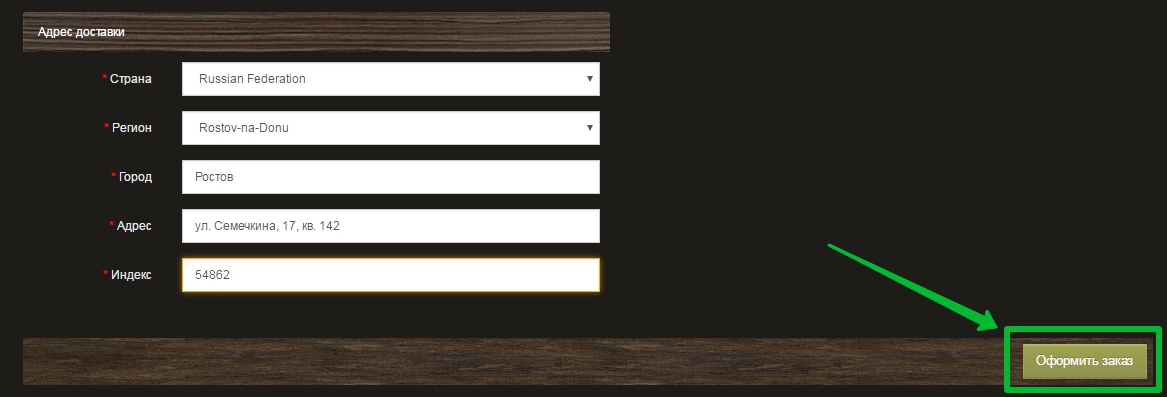
Address - required:
- when delivering by "Nova Poshta" (Ukraine) - indicate the branch number in your city;
- when delivered by Russian Post , and also by other regular mail - the full postal address of the recipient.
Country - select from the list (if your country is not in the list - select "Other" and indicate your country in the order comment )
Region/Province - select your region/province from the list (if your region/province is not in the list, select "Other" and indicate your region/province in the order comment)
City is a must
Mobile phone - a phone is required in case of delivery by Nova Poshta (in Ukraine) to send an SMS about the arrival of the parcel
- For orders from Ukraine you will have the option to choose the payment option "cash on delivery" or "prepayment"
- For orders from Russia and other countries, the "prepayment" option is available (also note that ordering seeds from us has a fixed delivery cost, but if you have selected a product in our store that has dimensions/weight - the delivery cost is calculated automatically at regular mail rates depending on its weight and delivery distance)
If you have filled in all the required fields, click the "Place an order" button
You will receive the details and all information about your order to your email.
If something didn't work out for you or you want to place an order by phone, DON'T WORRY, our managers are always on duty and help with placing orders, to do this, click on the online chat - which is in the form of a horizontal green stripe located in the lower right corner of the site or write to our Skype: grower.syndicate or in the feedback form
We are waiting for your new orders and are already in a hurry to send current ones!
Happy shopping and juicy results with GrowerSyndicate!